Showing 109–117 of 120 results
-

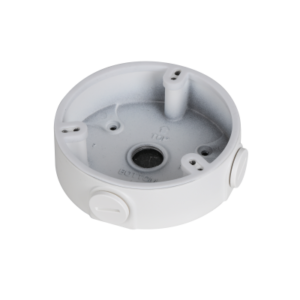
Water-proof Junction Box
Dahua – PFA123
>Aesthetic design
>Material: aluminum
>IP66 junction box -
Power Supply
HikVision – HKKD-13002
Switches, PoE & power supply
Switches/PoE/voeding Other Switches/PoE/power supply -

1 Channel Passive HDCVI Balun
>Real-time transmission over UTP CAT5E/6 cable.
>Passive, no need for power supply.
>With female BNC connector, and pluggable screw terminal connections. -

Plastic Junction Box
Dahua – PFA12A
> Material: weatherability and nondiscolouring PP
> Structural water-proof design
> Hidden line design, can place video balun with HDCVI/AHD/TVI/CVBS cameras
> Aesthetic design -

Water-proof Junction Box
Dahua – PFA121
>Aesthetic design
>Material: aluminum
>IP66 junction box -

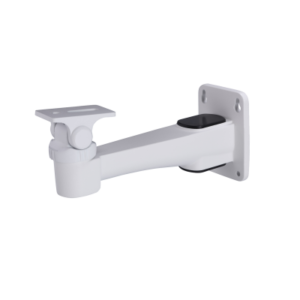
კამერის სამაგრი ფეხი
HIKVISION – DS-1604ZJ-box
> Wall mounting bracket with the junction box
> Aluminum alloy material with surface spray treatment
> Supports bottom outlet and back outlet
> The hook for safety rope facilitates speed dome’s installation -

PTZ კამერის კრონშტეინი / სამაგრი ფეხი
Tiandy – DF20Y
> მეტალის სამაგრი კრონშტეინი
> გარე გამოყენების PTZ კამერებისთვის -

1 Channel Passive HDCVI Balun with Power
Dahua – PFM801-4MP
>Power supply: Input voltage DC24-36V, can provide DC12V 8W(max) power supply to remote cameras, simplify engineering wiring.
>Transmission effect: Real-time transmission video, no delay, strong anti-interference.
>Transmission distance: 400m (max).
>Mainfunctions: Use single UTP (CAT-5E and CAT-6) real-time transmit 1-ch HD videosignal and 1-ch DC power.
>Protectionand anti-interference: Excellent anti-thunder, anti-static andanti-interference capabilities.
>Appearancestructure: ABS engineering plastics shell, small size, use RJ45 standardinterface connection mode. -

Network Keyboard
Dahua – NKB1000
Keyboard to Control
> Dahua High Speed Dome
> Dahua Standalone DVR
> Network Video Server
Connection
> RS485, RS422 (reserved), USB, RS232 & Network
Functions
> Three Dimensional Joystick Control of PTZ Functions
> Preset Position, Auto Scan, Auto Pan, Auto Tour & Pattern Auxiliary Functions
> On-Screen Menu & User Operation Procedure Tips
> Connect to SmartPSS or DSS platform via USB