
Showing 82–90 of 120 results
-

HDMI-HDCVI Converter
Dahua – PFT2100
> Input HDMI video signal, self-adaptive output HDCVI signal
> HDMI support mode:1024*768@60Hz, 1280*720@50/60Hz, 1280*1024@60Hz, 1600*1200@60Hz,1920*1080@50/60Hz
> HDCVI output format:720P/50, 720P/60, 1080P/25, 1080P/30Compatible CVBS, AHD, HDTVI signal distribution
> Fully enclosed dustproof design -

Water-proof Junction Box
Dahua – PFA130-E
>Neat & Integrated design
>Material: Aluminum
>IP66 junction box -

კამერის სამაგრი
HIKVISION – DS-1260ZJ
> Junction Box
> Aluminum Alloy
> Hikvision White -
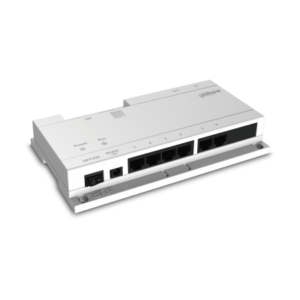
Network power supply for IP System
Dahua – VTNS1060A
> Decent appearance
> Protocol network power supply switch
> Connect max 6 indoor monitors with the Cat 5e cable, transfer the signal and power together -
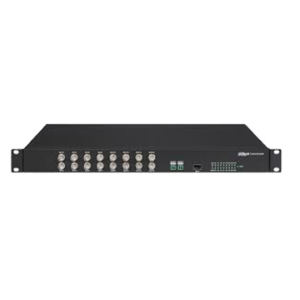
8ch HDCVI Optical Transceiver (Lite)
Dahua – PFO2810T
> High definition, real-time
> Support HDCVI video format 720p/25, 720p/30, 720p/50, 720p/60, 1080p/25, 1080p/30
> UPnP, easy installation
> Metal plate is used for the structure, fully enclosed dustproof design
> Industrial wide temperature design -
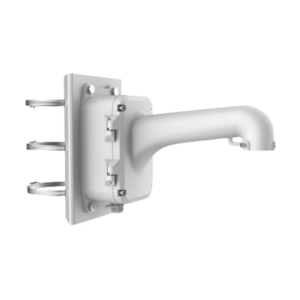
კამერის სამაგრი ფეხი
HIKVISION – DS-1604ZJ-box-pole
> Vertical Pole Mount for Speed Dome
> Aluminum Alloy & Steel
> Platinum Gray -
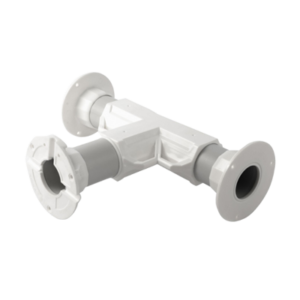
Double Way Bracket
60.00 ₾CamBox – TNP-25
> High Quality 3-Way Bracket
> Montage Surface: 101mm x 2
> Material: Engineering Plastic
> Dimensions: 320mm x 180mm
> Suitable on All Surfaces (Wall, Pole and Ceiling) -
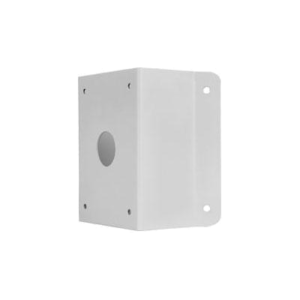
კუთხის სამაგრი PTZ Dome კამერებისთვის
Uniview – TR-UC08-A-IN
> დანიშნულება: როგორც შიდა, ასევე გარე პერიმეტრზე კუთხის საკიდი PTZ Dome კამერებისათვის.
> ზომები (L×W×H): 215x210x122მმ
> წონა: 1.87კგ
> მასალა: ალუმინი -
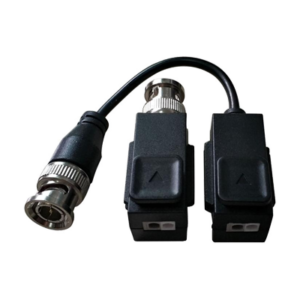
Video Balun
Hikvision – DS-1H18S/E
> 1 channel passive video UTP balun
> Pat press type terminal on top, clasp aside.
> Support device camera/DVR with POC
> Real-time transmit video signal, and high quality and stable video
> Compatible with HDCVI/TVI/AHD/CVBS
> Transmission distance: non-POC Camera Max. 250m;POC Camera Max. 150m.
> Superior anti-interference